
Simulator management · beyond access control

Your bookings.
Your bays.
Your rules.

Every session tied to its booking. Every rule yours to set. Every simulator PC kept ready — with nobody on site.

Locations live
7+
Simulators managed
30+
Unattended operation
24/7
AccessControl · customer kioskCurrent build
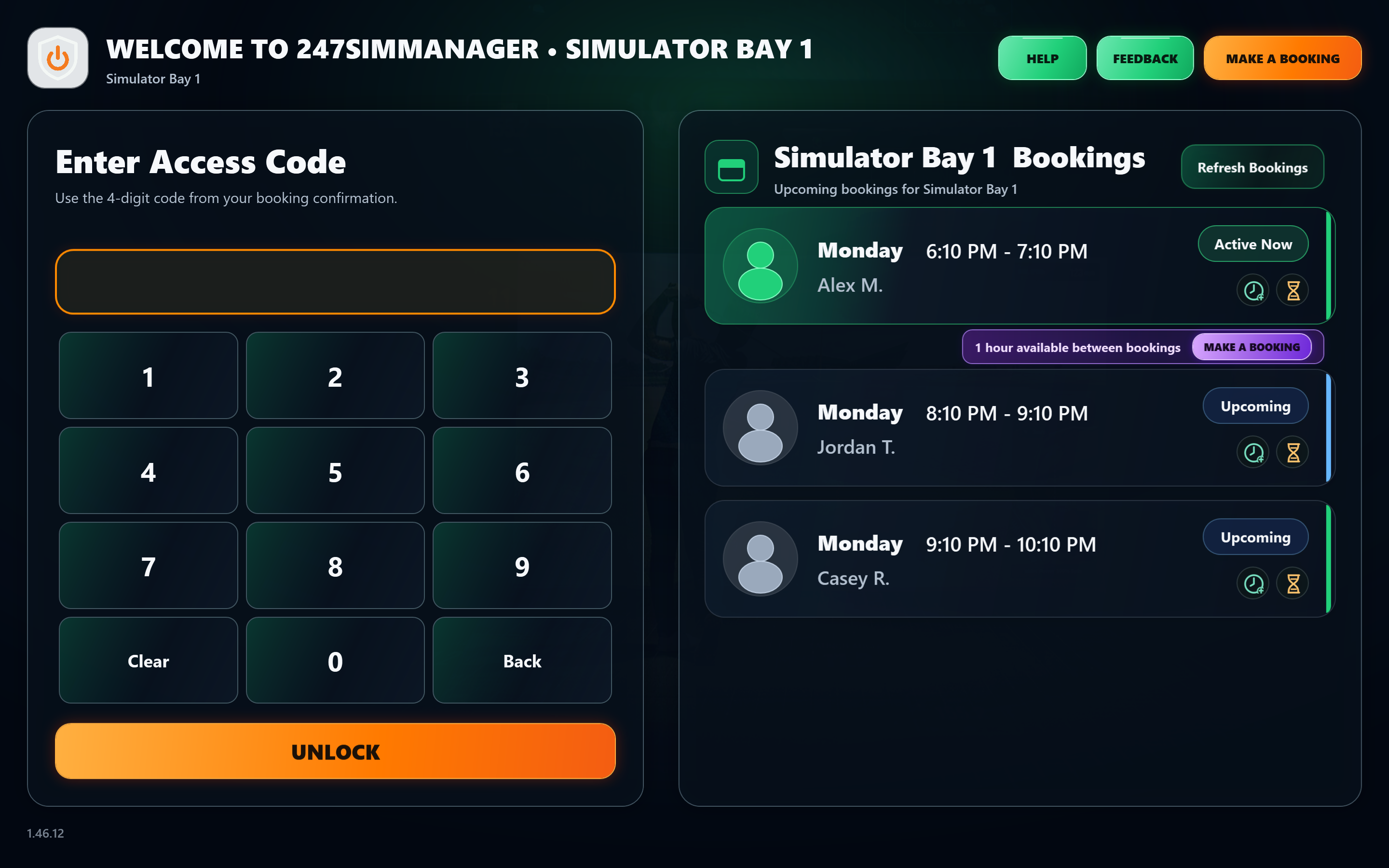
Current kiosk layout: a facility logo and the welcome title for Simulator Bay 1, green Help and Feedback buttons, an orange Make a Booking button, an access-code keypad with Unlock, and today's bookings for Simulator Bay 1 with an active session, two upcoming bookings and a bookable one-hour gap.
Sample bookings shown. Facility logo and title are yours to configure.

How it fits together

Book it in CourtReserve.
Run it with 247SimManager.

Your customers live in CourtReserve — account, membership, bookings, events, payments, the front door. The moment they step into the bay, 247SimManager picks up that booking and runs the session. Two platforms. One experience. Your customer never sees the seam.

  1. Join the clubCourtReserve
  2. Book a bayCourtReserve
  3. PayCourtReserve
  4. Unlock the doorCourtReserve
  5. Enter the bay247SimManager
  6. Play by your rules247SimManager
  7. Extend or wrap up247SimManager
The club platform

Everything a club expects. Already there.

Online booking, membership and club management from the platform trusted by 2,300+ clubs and 6 million+ players. Your customers manage their whole relationship with you here. Your staff run the club from one place.

  • Accounts & member app. Profiles, families, the CourtReserve app — or one branded to your club.
  • Memberships & billing. Unlimited tiers, auto-pay, family plans, member pricing.
  • Bookings, rules & waitlists. Your policies per membership type; public booking and Reserve with Google.
  • Events & registrations. Clinics, lessons, tournaments and socials, with waivers and payment up front.
  • Payments & point of sale. Cards on file, terminals, pro shop, packages, invoicing.
  • Door access. RemoteLock and Brivo, with codes that live and die with the booking.
  • Communications. Email campaigns, text alerts, push and portal announcements.
  • Reporting. Utilization, revenue, renewals and at-risk members in one dashboard.

Integrations across the tools clubs already run

  • RemoteLock door access
  • Brivo access control
  • Stripe
  • SafeSave
  • Patch Retention retention marketing
  • GoTab food & beverage
  • Reserve with Google
  • Open API
247SimManager SUITE The bay suite

Everything that happens in the bay. Found nowhere else.

247SimManager takes the CourtReserve booking and turns it into a session: who gets in, what they can run, how long they stay, what they see when something goes wrong — on a simulator PC that was ready before they arrived.

  • Booking-driven access. The same code that opened the door starts the bay — and unpaid bookings stay locked.
  • Rules per booking type. Buffers, extensions and allowed applications.
  • Your messages, your timing. Pre-end notices and extend-from-the-bay.
  • Always-on help & safe reboot. Customers fix it themselves, at 2 a.m.
  • PC care & self-recovery. Watched, maintained, restarted on your schedule.
  • Projector power, automated. Follows bookings and the gaps between them.
  • Repeatable deployment. Every bay, every location, set up the same way.
  • Demo Mode. Walk the whole customer experience on sample bookings first.

Runs on

  • Windows simulator PCs
  • CourtReserve bookings
  • Your branding

Built for every simulator sport

  • Indoor golf
  • Disc golf
  • Archery
  • Shooting
  • Multi-sport

Windows-based simulators on CourtReserve. Compatibility reviewed per facility.

Industry-leading simulator management

Where other solutions stop,
247SimManager is just getting started.

Plenty of platforms can start your simulator software when a booking begins and stop it when it ends. Extending a session, a post-booking buffer, automated projector power — 247SimManager treats those as the basics. Then it keeps going, with capabilities you won't find anywhere else, built around one truth of a 24/7 operation: when something goes wrong, nobody's on site.

The basics · included

What every serious platform should offer

  • Booking-based bay access
  • Extend a session, right at the bay
  • Post-booking buffer time
  • Automated projector power

Beyond · what sets you apart

Where 247SimManager goes further

  • Rules per booking type. Buffers, extensions and minimums that differ for members, promos and range-only.
  • Application limits by booking. Range-only means range only.
  • Gap-aware extra time. Never eats the next booking.
  • Back-to-back continuity. One customer, two bookings, zero lockouts.
  • Every word yours. Guidelines, help, warnings and messages — written by you.
  • Always-on customer help. Unlocking, booking, session notices and simulator tips — one tap from the kiosk.
  • Customer reboot, done safely. A restart the customer can run themselves — apps closed cleanly, reason captured for you.
  • Launch-monitor diagnostics watched. TrackMan logs scanned and summarized into clear support events.
  • Self-recovering kiosk. A stopped access screen is restarted, not discovered.
  • Repeatable deployment. Bay twelve set up exactly like bay one — at any location.

All of it built on CourtReserve, the leading SaaS booking platform.

Customer self-service · around the clock

It's 11 p.m. The screen froze.
Nobody's there — and nobody needs to be.

In a 24/7 operation, problems don't keep business hours. That's why 247SimManager leads the industry in customer self-service: help that's always one tap away, and a customer reboot that knows how to restart a simulator PC the right way.

  • Always-on help screen. Door codes, unlocking, booking, session notices and simulator tips — written in your words, available from the kiosk at every step.
  • Projector on, from the help screen. On compatible projectors, the most common "it's not working" is fixed by the customer in one tap.
  • Reboot Simulator. The customer picks a reason and tells you what happened. The suite closes the simulator and every open application cleanly, steers clear of scheduled maintenance, restarts the PC — and the kiosk comes back on its own, locked and ready for the next code.
  • You stay in control. Opt-in per bay. Every reboot is logged with the customer's reason and comments, so you know exactly what happened overnight.
Help · always availableCurrent build
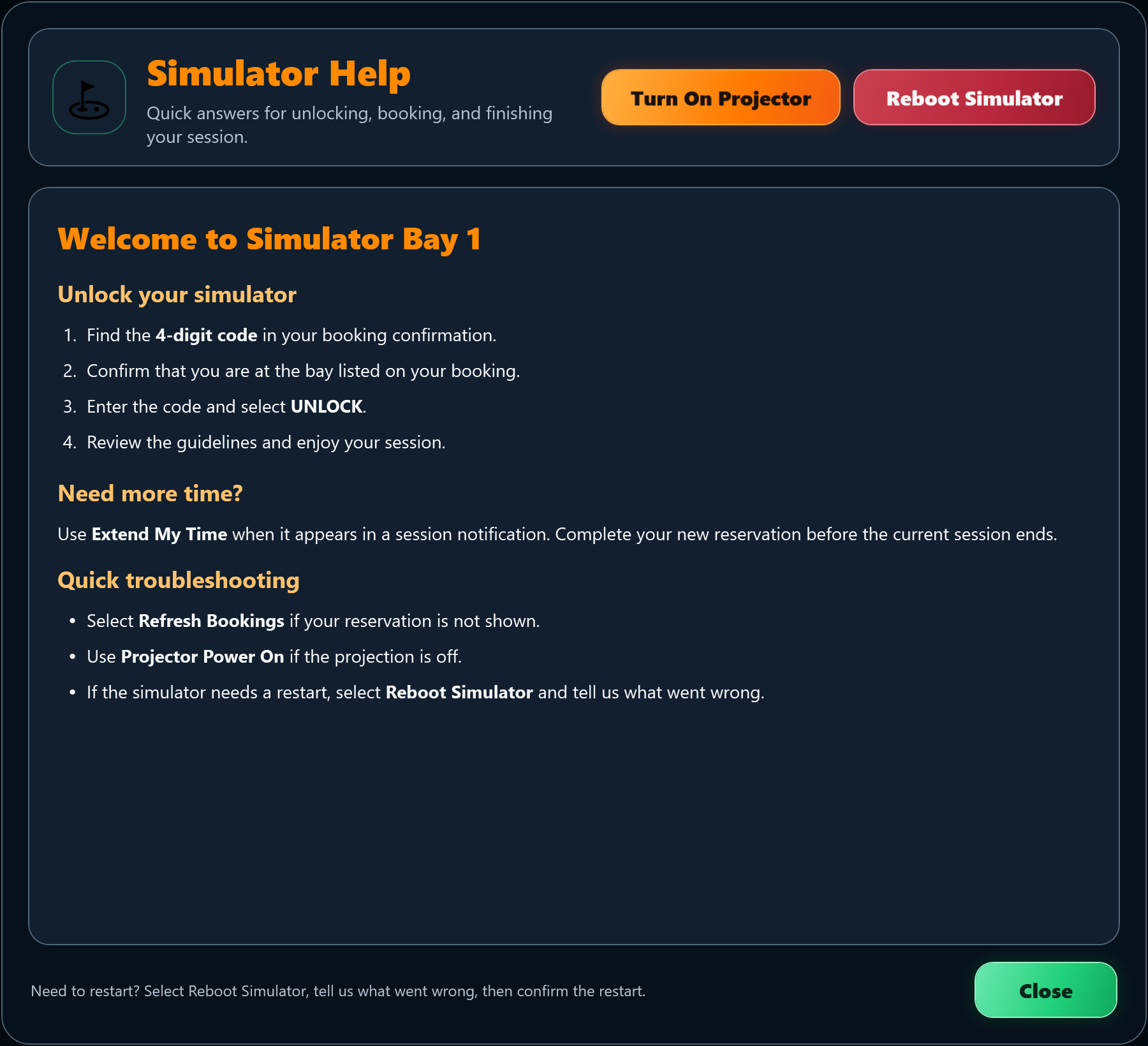
Simulator Help dialog with an orange Turn On Projector button and a red Reboot Simulator button at the top, sample step-by-step unlocking instructions, extend-time and troubleshooting tips, a restart hint in the footer, and a green Close button at the bottom right.
Every answer, one tap away. Sample help text shown; the content is yours to write.
Reboot · reason requiredCurrent build
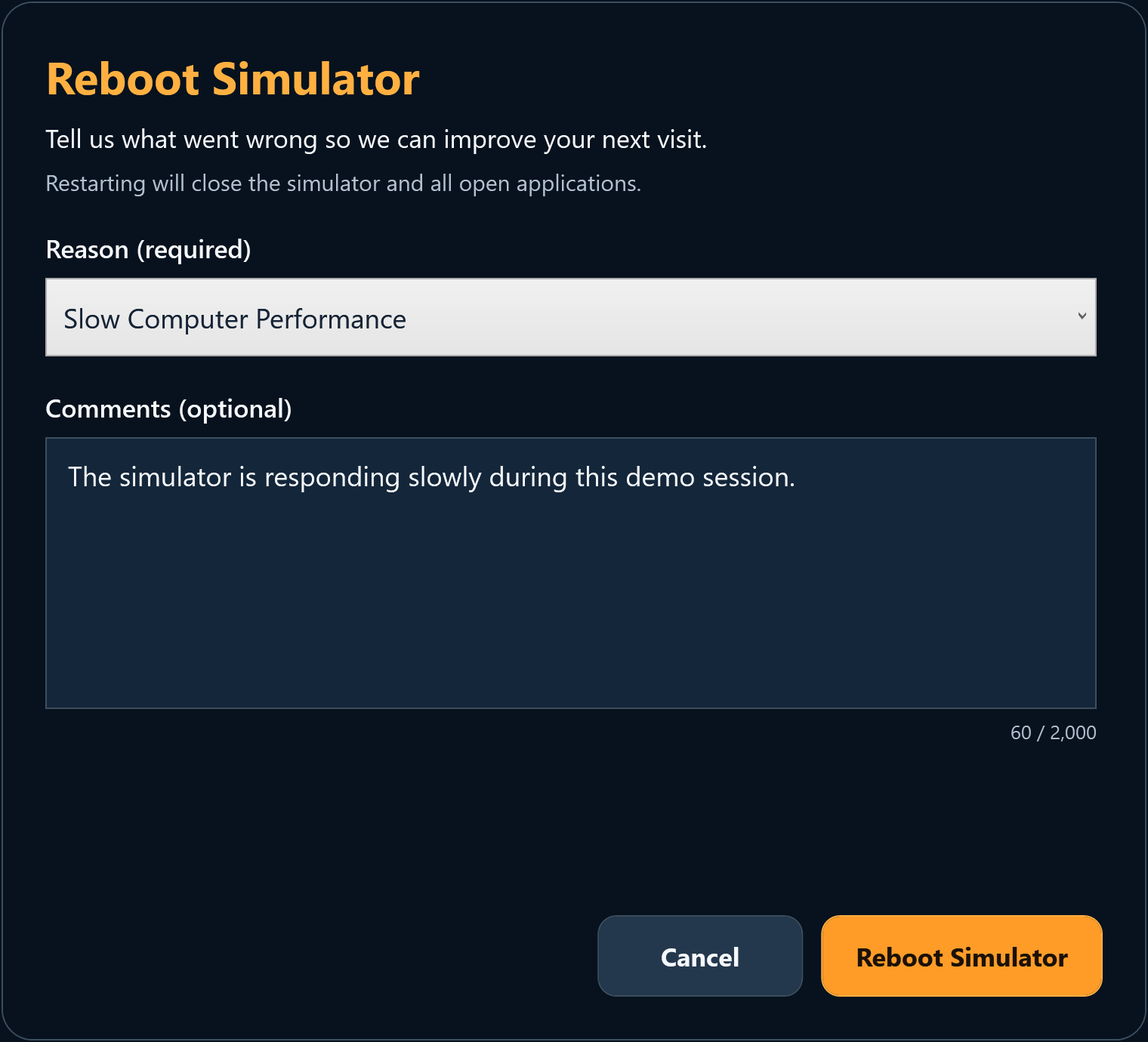
Reboot Simulator dialog asking for a required reason, with Slow Computer Performance selected, an optional comments box holding a sample comment, and Cancel and Reboot Simulator buttons.
A restart that tells you why. Sample comment shown.

One suite. Three tools.

Ready from the first booking.

A clear path to play for customers. Consistent, low-touch bays for you.

01 / AccessControl

The right customer.
The right bay.

Access connected to the booking. Your guidelines up front, time and help always in reach.

02 / WinSysMaint

PC care that
runs itself.

Routine maintenance, connectivity checks and kiosk recovery — automatically, with clear notes when something needs you.

Your sessions. Your rules.

Protect booked time. Make room for more play.

Each booking type gets its own rules for extra time and allowed applications.

Courtesy time you control

Choose which bookings earn a buffer and how much — always checked against the next reservation.

Stay longer, simply

Eligible customers book more time through CourtReserve without leaving the bay.

Smooth handoffs

Consecutive bookings for one customer flow as a single session. Early access works around the schedule.

Inside the application

A familiar screen at every step.

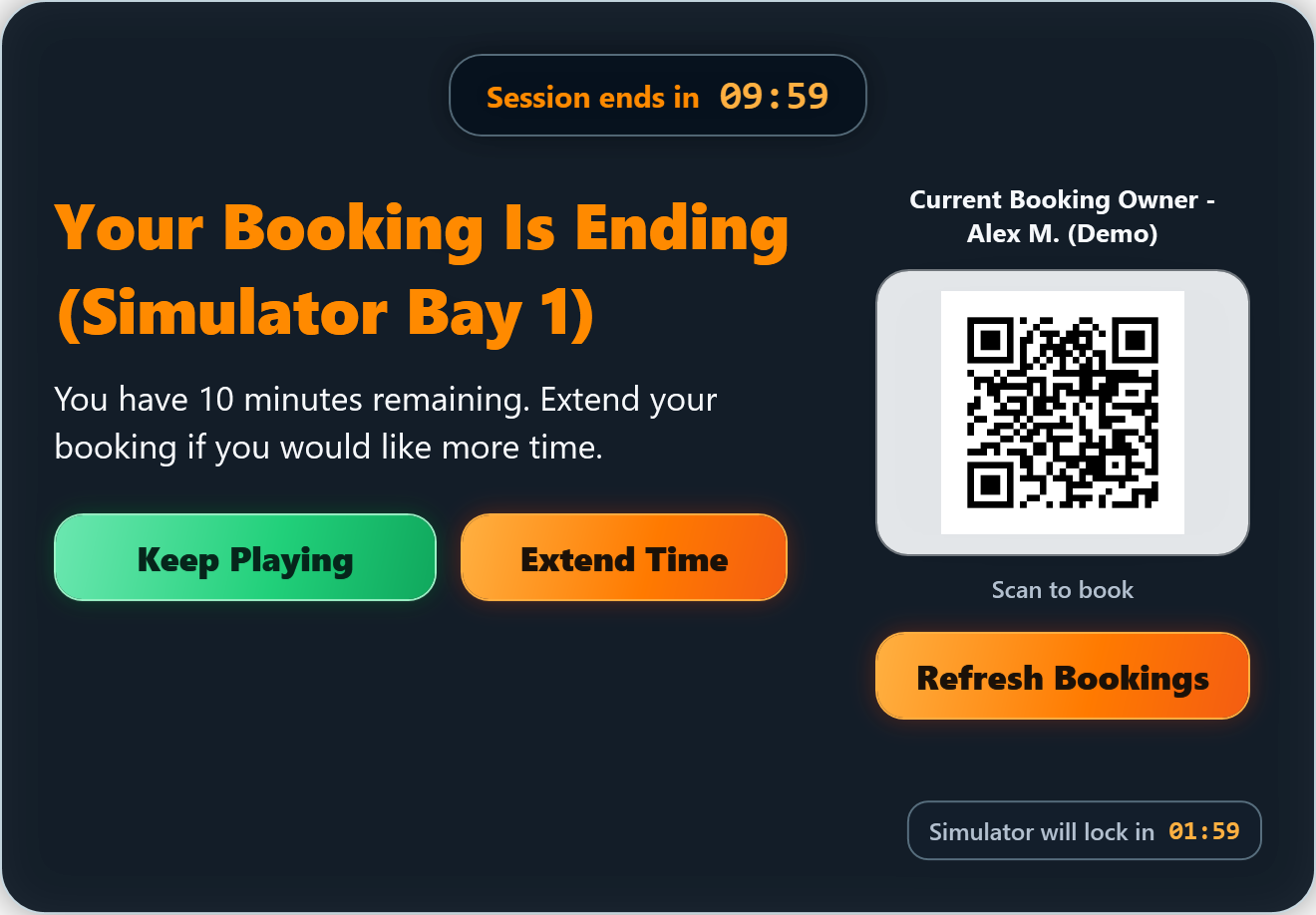
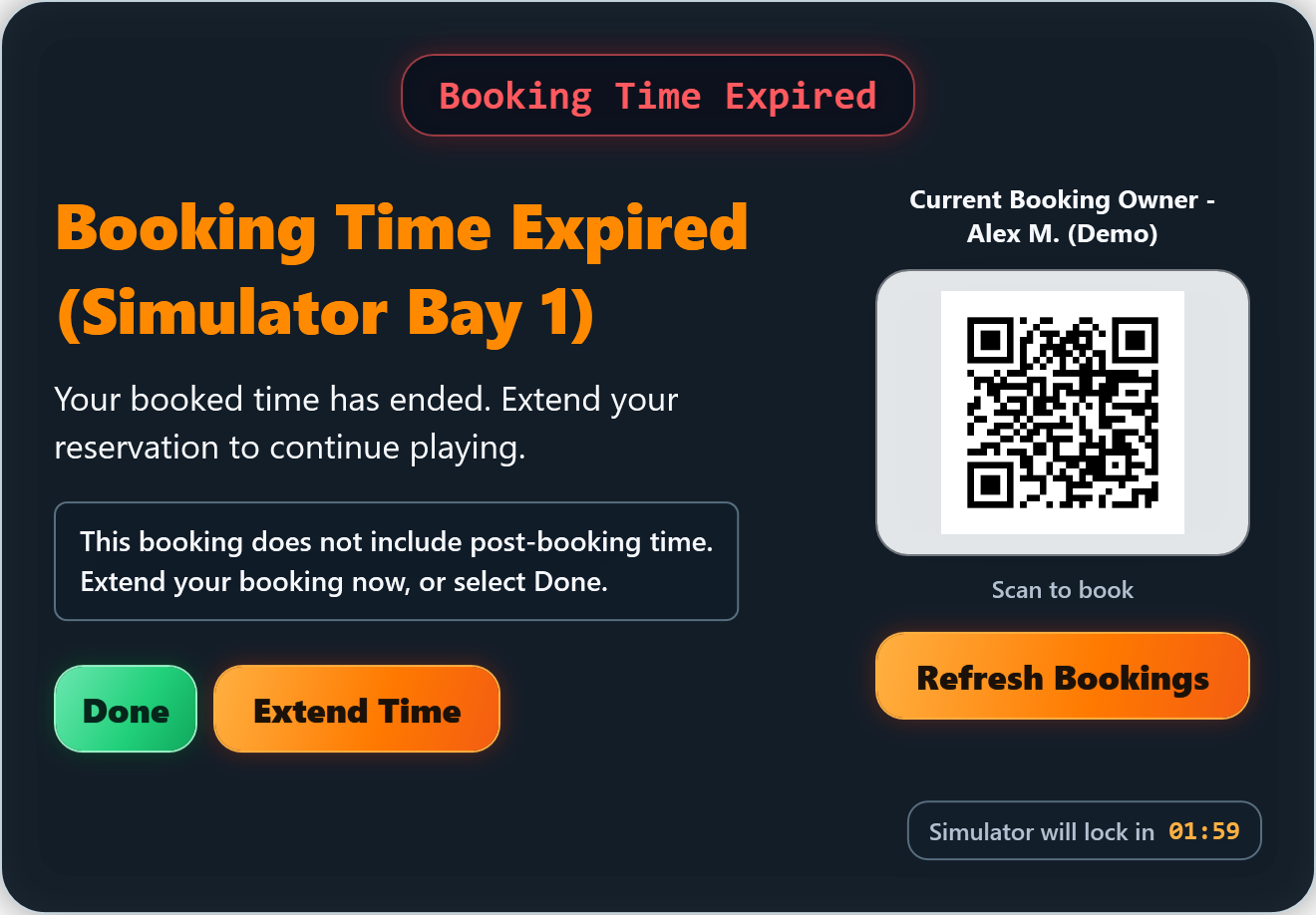
Your branding. Your guidance. Real screens from the application.

  • Welcome screen & guidelines
  • Always-available help
  • Time remaining indicator
  • Pre-end warnings on your timing
  • Extend from the bay
  • End & buffer messaging
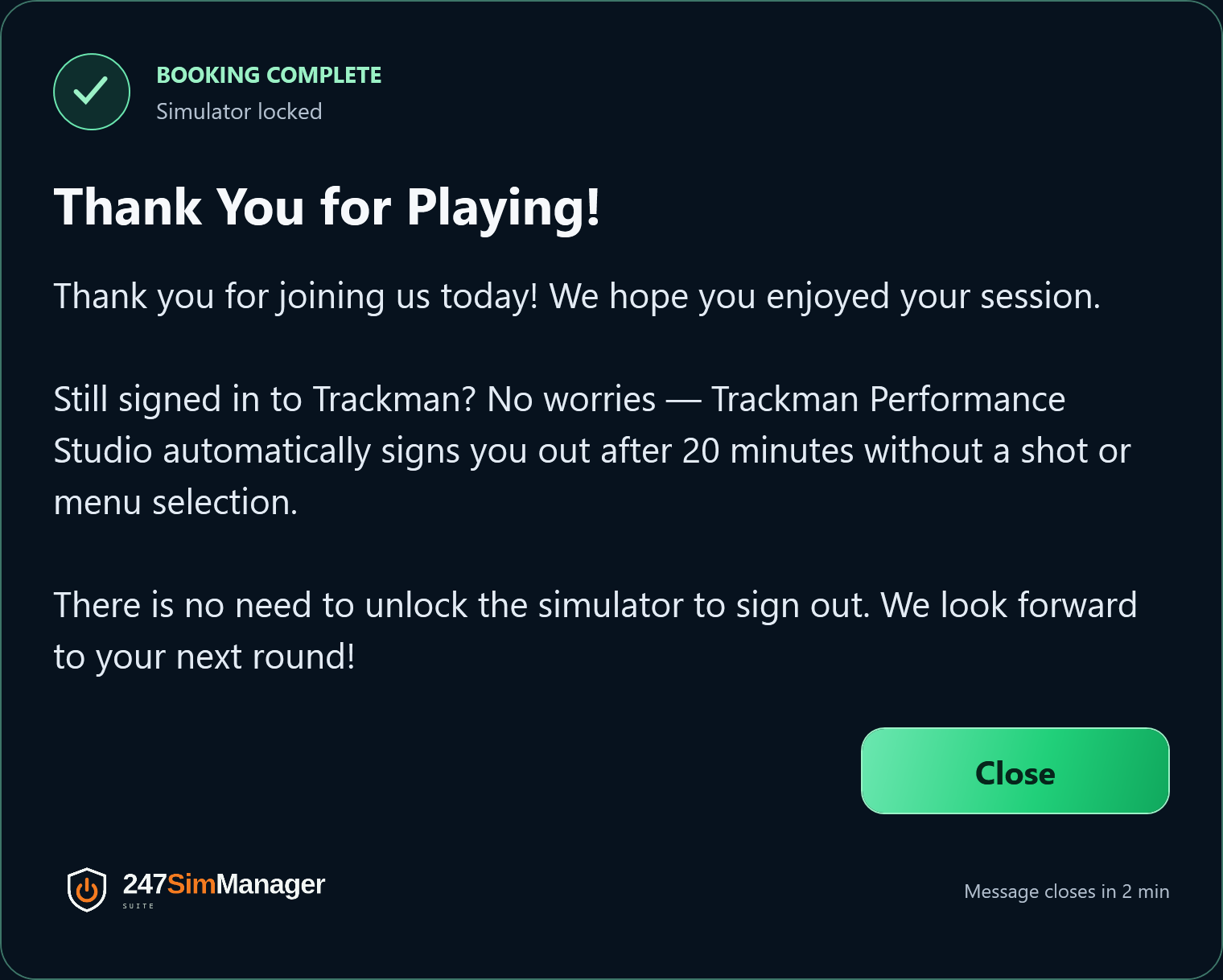
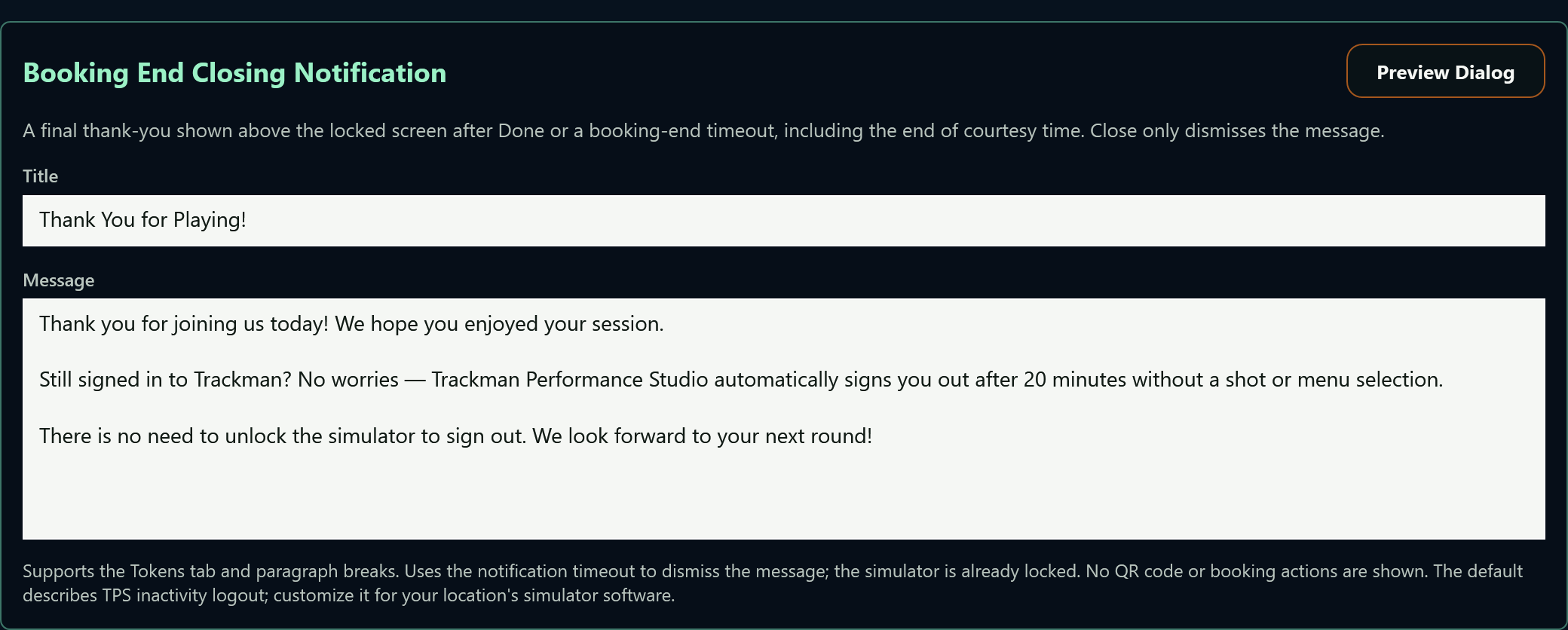
  • Closing thank-you message
  • Booking QR code
  • Feedback capture
  • Preview everything in Demo Mode

Ready for the next session

The PC works for your business — not the other way round.

Setup is the start. Ongoing care keeps every bay consistent and easy to support.

  • Performance-tuned setup. Graphics, network and system settings configured for simulator use.
  • Maintenance on your schedule. You choose when checks and restarts happen.
  • Smarter projector power. Compatible projectors follow bookings and the gaps between them.
  • Simulator software watched. Diagnostic logs are scanned and summarised so problems surface before customers find them.
  • Clear support information. What needs attention, and what the suite already handled.
PC care · maintenance settings
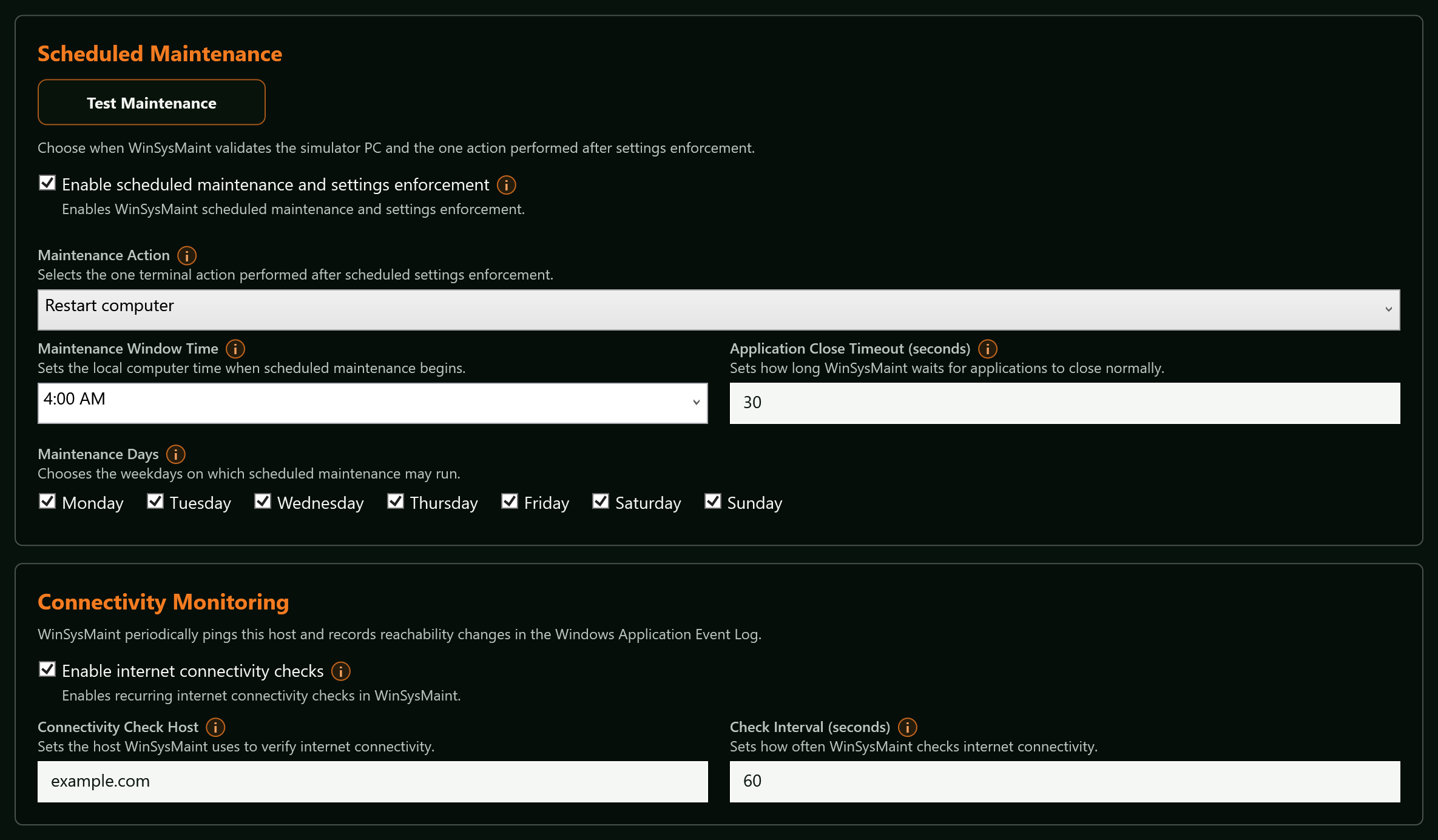
WinSysMaint settings: a Scheduled Maintenance card with a Test Maintenance button, an enable checkbox, a Restart computer action, a 4:00 AM maintenance window, an application close timeout and all seven days checked, above a Connectivity Monitoring card with a check host and interval.
Set the routine that fits your facility.

Who built 247SimManager

Built by an engineer.
Proven by an operator.
Powered by the leader in booking.

The engineer

30+
years in software engineering
11
years at Microsoft, on engineering teams across business and AI applications

247SimManager Suite is designed and built by 24/7 Golf's Chief Technology Officer — an operator who runs simulators, not a vendor who sells to them.

The proving ground

Michigan's premier indoor golf experience

7+
locations
30+
simulators

Every capability on this page runs live, around the clock, at 24/7 Golf — the suite's founding partner and proving ground.

24-7golf.com

The platform

The leading SaaS booking platform

2,300+
facilities on CourtReserve

247SimManager is built on CourtReserve. Bookings, payments and door access stay where they belong; the suite takes it from there.

courtreserve.com

Built around your facility

Your sport. Your setup.

Windows-based simulators on CourtReserve. We review your equipment to establish the right fit.

How does it work with CourtReserve?

CourtReserve handles reservations, payment and door access. 247SimManager connects those bookings to bay access and session rules at the simulator.

Does it support sports beyond golf?

Yes. Disc golf, archery, shooting and other simulator sports are target markets. Compatibility is reviewed for each setup.

Can we see the customer experience first?

Demo Mode and message previews walk through the full experience with sample bookings — before a single real customer sees it.

Independent product · proven live

See it running on a real bay.

Tell us about your simulator business and what you'd like to see. We'll walk you through the kiosk, the rules screen and the maintenance log — from a live 24/7 facility.

Request a demo